


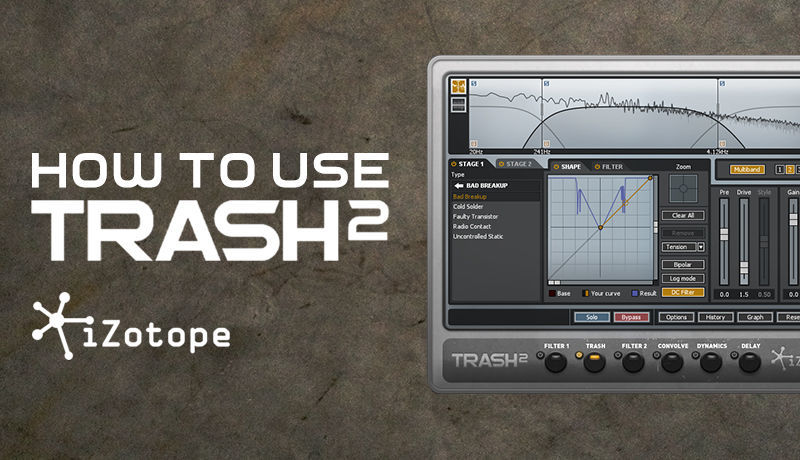
How To Use Trash 2 with Dan Larsson
Tutorial 02 - Settings Options

by Dan Larsson
Tutorial Description
Here we take a look at some of the options and settings and how we can manipulate Trash 2 to work to our desired preference..
Course Progress
- Comments
- Details
Course description
This week Sonic Academy welcomes professional sound designer, producer and founder of 'Let's Synthesize' YouTube channel Dan Larsson to give us the lowdown on iZotope's distortion plugin Trash 2.
This versatile and sonically impressive plugin has a vast array of algorithms available, and you're unlikely to find a broader set of distortion sounds anywhere else.
Along with the Trash distortion module, the plugin features 5 more modules - Filter 1, Filter 2, Convolve, Dynamics and Delay giving you unlimited sound creation possibilities from the subtle to the downright dirty and everywhere else in between.
In this tutorial, Dan gives us a detailed overview showing us the main controls and also how to tweak the settings so it can perform exactly how you want it, finishing off with some dope real world examples.
Course Resources
Resources are only available for Subscribers or if you have purchased this course - you can Subscribe Here to get access to these courses resources as well as resources for ALL of our courses
Sign in
Subscribe
Course Notes
- Comments
- Details
Course description
This week Sonic Academy welcomes professional sound designer, producer and founder of 'Let's Synthesize' YouTube channel Dan Larsson to give us the lowdown on iZotope's distortion plugin Trash 2.
This versatile and sonically impressive plugin has a vast array of algorithms available, and you're unlikely to find a broader set of distortion sounds anywhere else.
Along with the Trash distortion module, the plugin features 5 more modules - Filter 1, Filter 2, Convolve, Dynamics and Delay giving you unlimited sound creation possibilities from the subtle to the downright dirty and everywhere else in between.
In this tutorial, Dan gives us a detailed overview showing us the main controls and also how to tweak the settings so it can perform exactly how you want it, finishing off with some dope real world examples.
Course Resources
Resources are only available for Subscribers or if you have purchased this course - you can Subscribe Here to get access to these courses resources as well as resources for ALL of our courses
Sign in
Subscribe