We use cookies to offer a better browsing experience, analyze site traffic, personalize content, and serve targeted advertisements. Please review our privacy policy & cookies information page.  If you continue you consent to our privacy policy & use of cookies.
Decline
Accept
We use cookies to offer a better browsing experience, analyze site traffic, personalize content, and serve targeted advertisements. Please review our privacy policy & cookies information page.  If you continue you consent to our privacy policy & use of cookies.
Decline
Accept
We use cookies to offer a better browsing experience, analyze site traffic, personalize content, and serve targeted advertisements. Please review our privacy policy & cookies information page.  If you continue you consent to our privacy policy & use of cookies.
Decline
Accept
Sign in
Subscribe   & Get your FREE Sample Pack
  • Forgot your password?
  • Need an account? Sign up
Your Basket
£0.00
search icon
  • Tutorials
  • Why Join Us?
  • Pricing
  • Sounds
  • Plugins
    • NODE
      Wavetable EditorNODE - image
    • SA76
      1176 Limiting AmplifierSA76
    • JU-60
      Juno 60 ChorusJU60
    • KICK 3
      KICK Drum Synth kick 3
    • ANA 2
      Flagship SynthesiserANA - image
  • Forums
  • search icon
  • Sign in
  • Your Basket £0.00
  • Home
  • Why Choose Us
  • FAQ
  • Tutorials
    • Tutorials Home
    • All Tutorials
    • Software / DAW
      • Ableton Live
      • Bitwig Studio
      • Cubase
      • FL Studio
      • Logic Pro
      • Reason
      • Studio One
    • Course Types
      • ANA 2 Sound Design
      • DJ
      • Fast Track Build
      • Get That Sound
      • Hardware
      • How To Make
      • How To Use
      • Interview
      • Mixing & Mastering
      • Music Theory
      • Production Techniques
      • Software Training
      • Sonic Feature
      • Sound Design
      • Tech Tips
      • Track Walkthroughs
      • Understanding
    • Genres
      • Various
      • House
      • Progressive House
      • Tech House
      • Trance
      • Techno
      • Synthwave
      • Electro House
      • Main Room House
      • Deep House
      • Drum & Bass
      • Chillout
      • Deep Tech House
      • Progressive Electro House
      • Tech Trance
      • Funky House
      • 90s House
      • Downtempo
      • Minimal Techno
      • Dubstep
    • Topics
      • Arranging
      • Bass
      • Bass Synthesis
      • Chords
      • Compression
      • Delay
      • Drum Processing
      • Drum Programing
      • Drums
      • Effects
      • EQ
      • Filters
      • Mixing
      • Reverb
      • Saturation
      • Side Chain
      • Sound Design
      • Synthesis
      • User Interface
      • Workflow
  • Sounds
    • Sounds Home
    • All Sounds
    • Featured
      • Ultimate Drums
      • Ultimate Drums 2
      • Ultimate FX
      • Ultimate FX 2
    • Top Genres
      • Synthwave
      • Synth Punk
      • Future Bass
      • Cyberpunk
      • Alternative
    • Genres
      • Ambient
      • Complextro
      • Darkwave
      • Deep Tech House
      • Detroit Techno
      • House
      • Main Room House
      • Melodic Techno
      • Minimal Techno
      • Progressive
      • Progressive House
      • Tech House
      • Tech Trance
      • Techno
      • Trance
    • Topics
      • Arps
      • Bass
      • Brass
      • Drums
      • Effects
      • Flute
      • Guitar
      • Lead
      • Orchestral
      • Other
      • Pads
      • Piano
      • Plucks
      • Spot FX
      • Stabs
      • Strings
      • Symphonic
      • Vocals
      • Woodwind
    • Item Formats
      • Ableton Live Templates
      • Acid
      • AIFF
      • ANA 2 Presets
      • A.N.A Presets
      • Apple Loops
      • Construction Kits
      • FL Studio Template
      • Kick 2 Presets
      • Kick 3 Presets
      • Loops
      • Massive Presets
      • MIDI Files
      • Native Instruments
      • One Shots
      • Rex2
      • Serum Presets
      • Spire Presets
      • Sylenth Presets
      • WAV
  • Plugins
    • Plugins Home
    • KICK 2
    • ANA 2
    • Node
    • SA76
    • JU-60
    • KICK 3
    • VELA
    • V4LVE
  • Remix Contests
  • Takeover Events
  • Forums
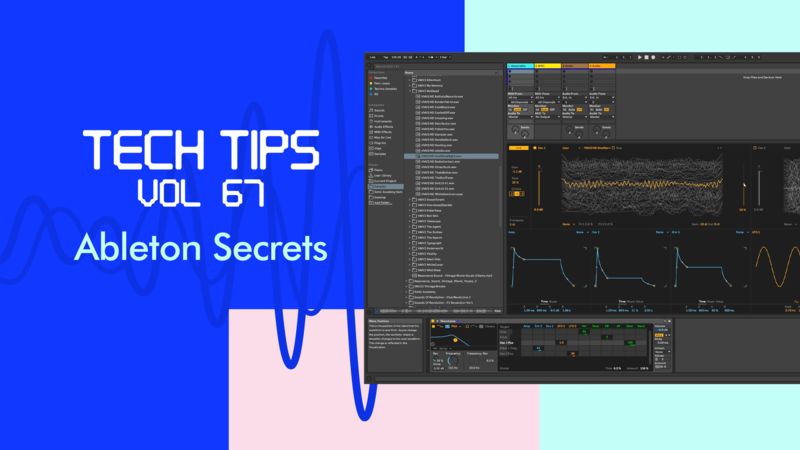
Tech Tips Volume 67 with Bluffmunkey

ACCESS ALL 946 COURSES FROM

£6.67 / mo avg

Stream All Courses

New Content Every Week

No Contracts, Cancel Anytime

Subscribe

DOWNLOAD THIS COURSE

£11.96

Instant Access

Download & Keep Forever

20% off SALE price - was £14.95

View

Ableton Secrets

Tutorial 670 - Importing Samples into Wavetable

Bluffmunkey

by Bluffmunkey

Tutorial Description

In this Tech Tip we look at importing more unusual samples into a wavetable synth.

Course Progress

  • Comments
  • Details
Comments
Please sign in to comment Show all 0 comments

or Sign in to continue discussion on the forums

Course description

It's time for another set of Tech Tips as we welcome back Bluffmunkey for Volume 67.

Over these ten videos, he's checking out some tips and tricks in Ableton that'll help you speed up workflow so you can get on with the fun stuff!

We look at key mapping shortcuts, organisation tips and setting up your track's default along with making delays sound better, unusual wavetables, levelling up on your saturator use and more - there's something for all Ableton users here, whatever your ability.

Check it out!

Read More…
Course Resources

Resources are only available for Subscribers or if you have purchased this course - you can Subscribe Here to get access to these courses resources as well as resources for ALL of our courses
Sign in
Subscribe

Course Notes

Tutorial 664 - Delay Filter 08:21
Tutorial 665 - Plugin Organisation 09:59
Tutorial 666 - Rank Ableton Plugins 03:59
Tutorial 667 - Secret Returns 04:02
Tutorial 668 - Ableton Sample Content 11:31
Tutorial 669 - Create Default Track State 07:49
Tutorial 670 - Importing Samples into Wavetable 09:00
Tutorial 671 - Key Mapping 04:14
Tutorial 672 - Saturator Level Up 06:49
Tutorial 673 - Collaboration Tips 09:09
  • Comments
  • Details
Comments
Please sign in to comment Show all 0 comments

or Sign in to continue discussion on the forums

Course description

It's time for another set of Tech Tips as we welcome back Bluffmunkey for Volume 67.

Over these ten videos, he's checking out some tips and tricks in Ableton that'll help you speed up workflow so you can get on with the fun stuff!

We look at key mapping shortcuts, organisation tips and setting up your track's default along with making delays sound better, unusual wavetables, levelling up on your saturator use and more - there's something for all Ableton users here, whatever your ability.

Check it out!

Read More…
Course Resources

Resources are only available for Subscribers or if you have purchased this course - you can Subscribe Here to get access to these courses resources as well as resources for ALL of our courses
Sign in
Subscribe

Course Notes

Tutorial 664 - Delay Filter 08:21
Tutorial 665 - Plugin Organisation 09:59
Tutorial 666 - Rank Ableton Plugins 03:59
Tutorial 667 - Secret Returns 04:02
Tutorial 668 - Ableton Sample Content 11:31
Tutorial 669 - Create Default Track State 07:49
Tutorial 670 - Importing Samples into Wavetable 09:00
Tutorial 671 - Key Mapping 04:14
Tutorial 672 - Saturator Level Up 06:49
Tutorial 673 - Collaboration Tips 09:09
  • Blog
  • About
  • Why Choose Us
  • FAQ
  • Support
  • Forums
  • Testimonials
  • Terms
  • Privacy
  • Cookies

© Sonic Academy Limited

Select Preferred Currency:
  • £ GBP
  • € EUR
  • $ USD